
The connected legal workspace
Every conversation.
Every document.
One connected case.
Bring your client communications, matter history and AI assistance into one considered workspace. Less searching. More time for the work that matters.
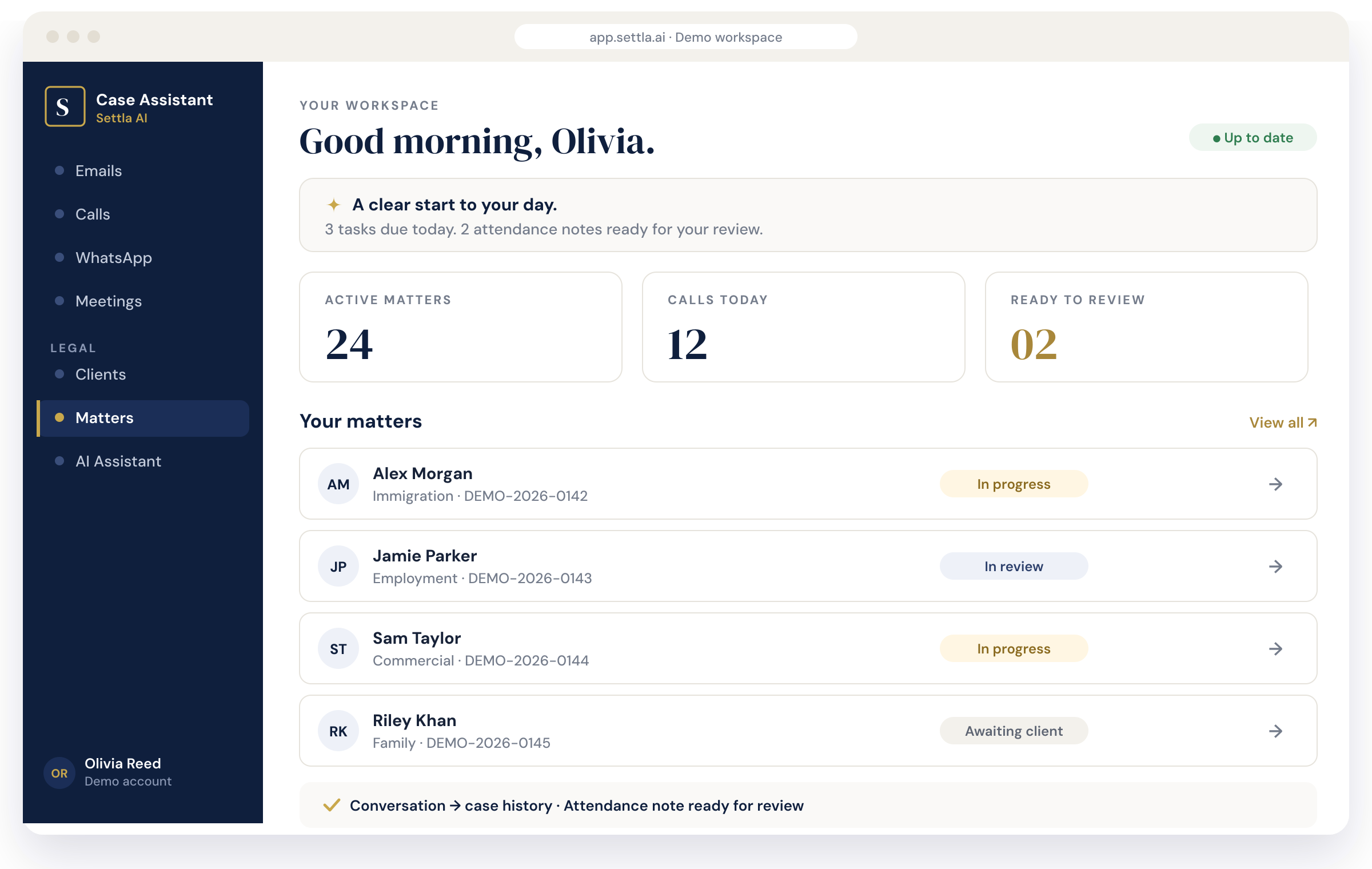
Illustrative product view · fictional demo data
Built around the way legal teams work
Calls · Meetings · Documents · Matters
A little less admin. A lot more context.
The whole picture.
Without the switching.
A conversation should never become a loose end. Keep the people, documents and decisions behind each matter connected, so your team can pick up exactly where it left off.
Calls & conversations
Client calls, messages and emails sit alongside the matter they belong to, so nothing becomes a loose end.
Meetings & notes
Transcripts and draft attendance notes bring each discussion into focus, ready for your review.
Matter timeline
Calls, emails, meetings and documents in one chronological view, with the next step always in sight.
Case AI assistant
Ask about a matter and get answers grounded in its own conversations and documents, with the source shown.
From conversation to context
Good conversations.
Even better follow-through.
Connect the call, capture what matters and keep the next action close to the case.
01
Connect
A client calls.
The call sits alongside their matter, with the client and history already in view.
02
Capture
The important details stay.
A transcript and draft attendance note bring the discussion into focus.
03
Continue
The next step is clear.
Review the note and track the follow-up in the matter timeline.
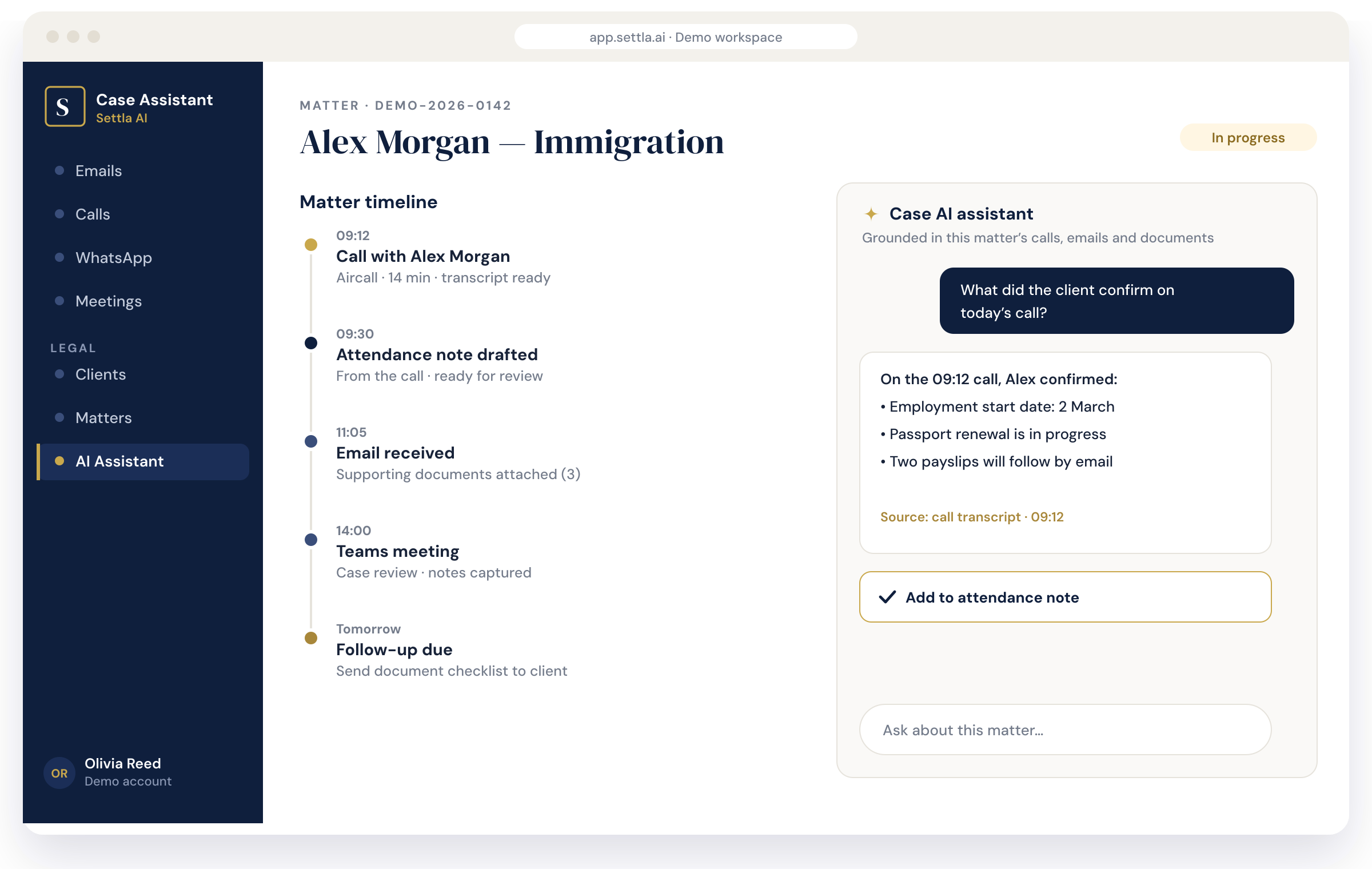
Illustrative product view · fictional demo data
“
More context for your team.
More attention for your clients.
One workspace. From first contact to next step.
Connected by design
Fits into your practice.
Brings it together.
Connect your legal systems, communication channels and document repositories around your matters.
Communications
Aircall · Microsoft Teams · WhatsApp · Email · SMS
Practice management
Clio · PracticePanther · MyCase · Smokeball · LexisNexis · Custom legal APIs
Documents & collaboration
Microsoft OneDrive · SharePoint · Google Workspace · Dropbox
Meet your next workspace
A clearer view.
A more connected practice.
See the Case Assistant with sample matters and talk to us about the tools your practice already uses.